
What's New In Maintenance Pro?
Release 4.0.0
We are excited to announce a major release of Maintenance Pro, packed with many features and a new modern look.
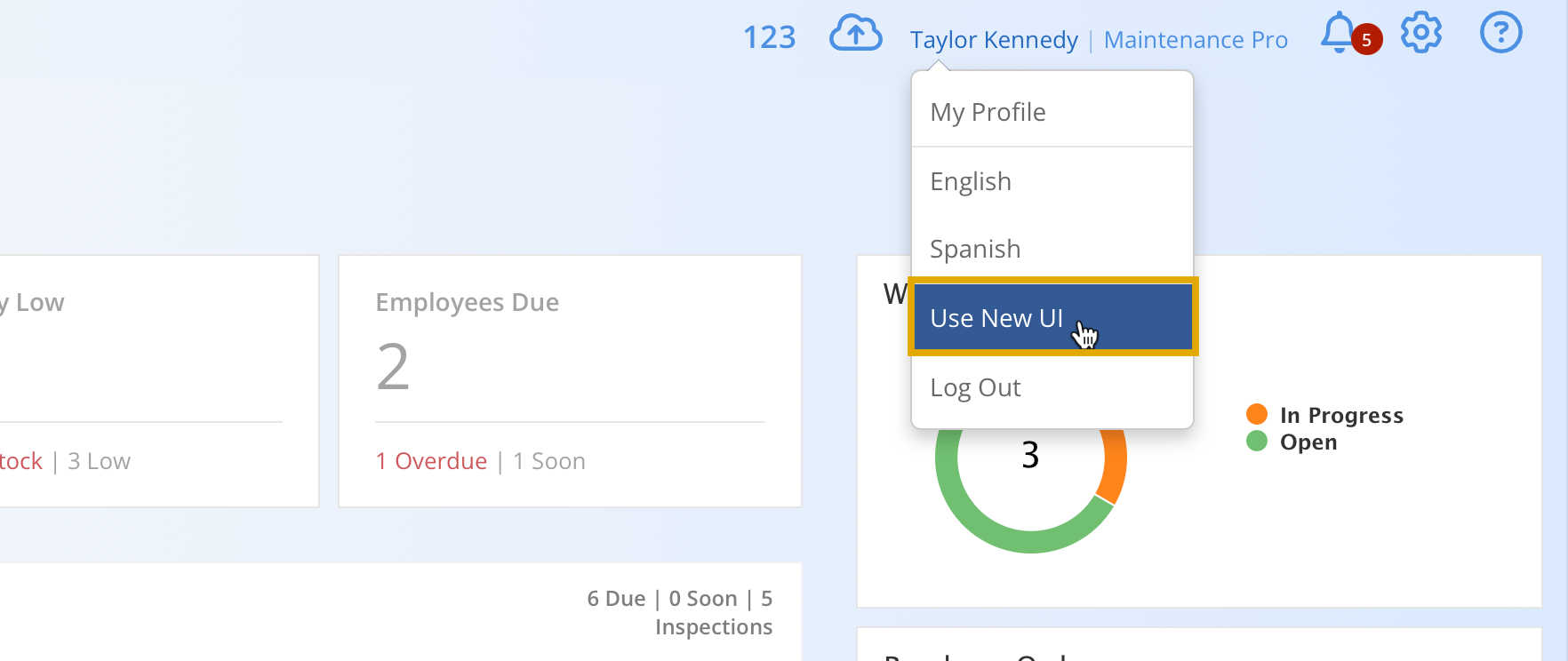
You can unlock the new user interface by clicking on your name and selecting "Use New UI."
Enhancement: Dashboard
The Home Screen has been redesigned with a modern interface and enhanced customization options to support a more personalized user experience.

Add and remove widgets to customize the dashboard layout and display relevant Information.

Widgets can be moved and resized to create a more organized and efficient workspace tailored to operational needs.

Enhancement: New Data Grids
Infinite scrolling has been introduced to provide a smoother browsing experience by continuously loading additional records without requiring page changes.

Filtering can now be performed directly within each column, making it easier to locate specific records and refine results.

Columns can now be reordered with a simple drag-and-drop action, making it easier to organize information based on operational priorities.

New Feature: Record Service
An express version of our work order module, ideal for quickly recording repairs or maintenance.

The following information can be captured:
- Assignee
- Completion Date
- Meter Reading
- Parts and Labor Costs
- Downtime
- Notes
- Custom Fields (shared with Work Order custom fields)

New Feature: Choice List Custom Fields
Custom fields can now be configured with predefined options, providing a faster and more consistent data entry experience.

Once the Selection field type has been chosen, the available options can be configured and managed within the field settings.

Options can be added, edited, or removed as needed to maintain an accurate list of available selections.

The configured options will appear as a selectable list when the field is used.

New Feature: Repair Templates
Similar to PM Templates, required parts can now be associated with repair records to help ensure the necessary inventory is identified in advance.
Main Menu > Tools > Manage Lists > Repair Templates

Repair templates can be created, modified, or deleted as needed to support changing maintenance requirements.

Repair Template Part Associations:
At the bottom of the Repair Task screen, select Add Parts to associate inventory items with the repair. Enter the required quantity and unit cost for each part before saving.

The field defaults to All Equipment. Select the field to assign the part to a specific equipment record.

Enhancement: Inspection Duration
The Inspection Summary Report now includes the total time required to complete each inspection, measured in minutes.

Enhancement: Added Work Order Status Field To Inventory Usage Detail Report

Enhancement: Managed List for Shipping Methods and Fuel Types
Fuel types and shipping methods can be added, edited, or removed to reflect operational requirements and organizational preferences.

Enhancement: Added Tax 1 and Tax 2 Fields to Work Order Summary Report

Enhancement: Signature Styles
Additional signature styles have been added for Work Orders, Purchase Orders, and Inspections, providing greater flexibility during the completion process.

Enhancement: Added Last Quarter Date Filtering Option to Reports

Enhancement: Added Custom Costs to the Maintenance Costs report
